
Here's a scene most sales heads will recognise. Marketing says it sent 400 leads this month. Sales says half of them were junk. Somebody pulls up a spreadsheet, somebody else opens a WhatsApp group, and a salesperson admits that a hot enquiry from last Tuesday is still sitting in their notebook.
Nobody is lying. The leads simply live in too many places for anyone to see the full picture. That's the problem a real estate CRM solves.
But there isn't one "best" CRM for everyone. A solo broker, a ten-agent agency and a developer with five live projects need very different things. This guide explains what a real estate CRM should actually do, the questions worth asking before you buy, and which well-known options suit which kind of business. We're a marketing agency, so we look at this from the lead and follow-up side: what actually helps your team reply fast and turn enquiries into site visits. One more thing you should know up front: Litchoo, one of the tools on the shortlist below, is our own CRM. So we're not a neutral party. We've described every option on the same terms, and we've said where ours may not be the right fit.
The short version: pick the CRM that fits your sales process and your team's habits, not the one with the longest feature list. If your reps won't use it, nothing else matters.
What a real estate CRM actually does
A CRM is more than a contact book. For a property business, it should do five jobs:
- Capture leads automatically from your ads, website forms, portals and WhatsApp, so nothing gets typed in by hand.
- Route each lead to the right person quickly, based on project, location or availability.
- Record every conversation, including calls, messages and site visits, so anyone can pick up where a colleague left off.
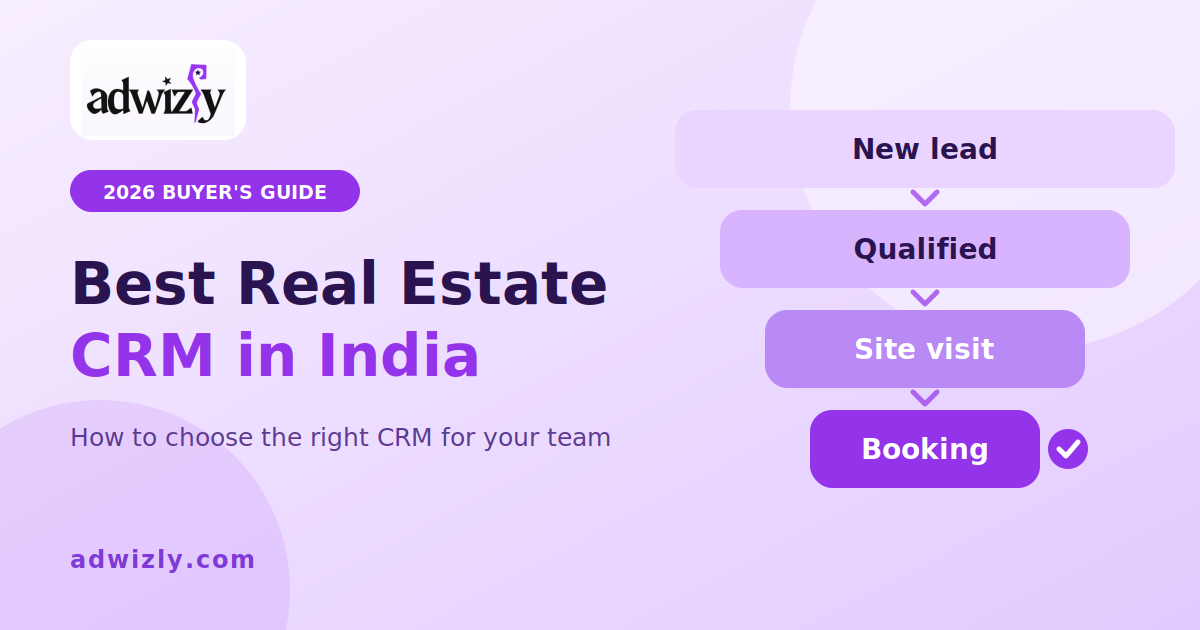
- Move each buyer through clear stages, from new enquiry to qualified, site visit, negotiation and booking.
- Show you what's working, by source, project and salesperson, down to bookings and not just enquiries.
If a tool can't do those five things reliably, it's a spreadsheet with a nicer logo.
Why spreadsheets stop working
Spreadsheets are fine for the first few dozen leads. They start to fail when:
- Leads arrive faster than anyone can type them in
- Two people call the same buyer, or nobody does
- Follow-ups depend on someone remembering
- You can't tell which campaign produced the bookings
- A salesperson leaves and takes the contact list with them
Speed matters most. In property, the buyer who gets a call within minutes usually remembers you. The one who waits half a day has already spoken to someone else.
What to look for: ten questions to ask every vendor
- Does it connect to where your leads come from? Check for Meta lead forms, Google Ads forms, your website, and portals such as 99acres, MagicBricks and Housing.com. Ask whether each connection is built in, needs a third-party connector, or relies on an email parser.
- Can it assign leads instantly? Look for rules like round-robin, by project, or by language.
- How does it handle WhatsApp? Ask about support for the official WhatsApp Business API, templates, and whether conversations are stored on the lead's record.
- How does it handle calling? Click-to-call, call recording and a dialer matter if your team makes a lot of calls.
- Does it manage site visits? You want scheduling, reminders and a way to mark visits as completed or missed.
- Can it handle your inventory? Developers need towers, units, availability and cost sheets. Brokers usually need listings and buyer matching. A general-purpose CRM often needs extra work for this.
- Can you report from enquiry to booking? A report of leads by source is easy. A report of bookings by source is the one that changes decisions.
- Does it work for channel partners? If brokers bring you buyers, check how it tracks their leads and commissions.
- Is the mobile app good? Your field team will live on their phones, not on a desktop.
- Who owns the data, and can you export it? You should be able to take your data with you, and the tool should handle customer data responsibly under India's data protection rules.
A shortlist, and who each one suits
This isn't a ranking. These are well-known names and the kind of business each is generally positioned for, based on how the vendors describe themselves and what public comparisons say. We haven't run hands-on tests of each tool, so confirm current features and pricing with the vendor before you decide.
- Sell.Do. A CRM built specifically for Indian real estate, with developer workflows such as inventory, bookings and channel partners. Best for developers with several projects. It may be more than a small broker needs.
- LeadSquared. A lead-management and sales-execution platform used across several industries, including real estate. Strong on routing and tracking sales activity. Best for teams with high lead volumes from digital marketing, though real estate structure may need configuring.
- Zoho CRM. A flexible, general-purpose CRM with a large app ecosystem and a lower entry price than most. Real estate structure is something you build on top. Best for brokers and small teams comfortable with setup, or for businesses with other lines of work.
- HubSpot CRM. Strong on marketing, email and website tracking, and it has a free tier at the time of writing. Real estate-specific features are limited. Best for brokers and agencies that rely on content and email.
- Salesforce. An enterprise platform with deep customisation and heavy implementation needs. Best for large developers with dedicated admin and technical resources.
- Calling-first Indian CRMs, such as TeleCRM. Built around high-volume calling and WhatsApp follow-up. Best for teams that work through big lead lists by phone.
- Litchoo (our own CRM). A WhatsApp-first CRM with a shared inbox for WhatsApp and Instagram, automated follow-ups, and lead capture from Meta lead ads and click-to-WhatsApp ads. It also has flows for qualifying buyers and booking site visits. Best for broker and developer teams whose buyers mostly talk on WhatsApp and who want replies and follow-ups handled quickly. It has a free plan at the time of writing, and Meta's WhatsApp message charges are billed separately, so check current pricing. If you're a developer, ask whether it covers inventory and cost sheets, since its pages focus on lead capture, WhatsApp and pipeline.
Disclosure: Litchoo is our own CRM. We've included it because it's built for WhatsApp-first sales teams, and we've listed its limits alongside everyone else's. Use the trial checklist below to test it against the others.
You'll also come across names like PropSpace, which is aimed at agencies and property managers. The point isn't to memorise a list. It's to match the tool to your situation.
Which type fits your business?
- Solo broker: a simple, low-cost CRM with a good mobile app and WhatsApp. Don't pay for features you won't open.
- Small agency: shared pipelines, lead assignment and basic reports by agent and source.
- WhatsApp-heavy sales team: a WhatsApp-first tool that replies instantly and automates follow-ups, such as Litchoo's real estate solution, our own CRM.
- Mid-size developer: inventory, bookings, channel partners and source-to-booking reports, ideally in a real estate-specific tool.
- Large developer: deeper customisation, integrations with your other systems, and someone whose job is to run the CRM.
How to test a CRM before you commit
Don't judge a CRM from a sales demo. Run a short trial:
- Import about 50 real leads, not sample data.
- Connect one live lead source, such as a Meta lead form, and watch a lead arrive.
- Send a WhatsApp message from inside the tool.
- Have two salespeople use it for a week and ask them what annoyed them.
- Pull the one report you really need. If you can't, that's your answer.
You can run this same trial on any tool in the shortlist, including ours. Litchoo has a free plan at the time of writing, so you can test it with real leads before you commit.
Mistakes that waste a good CRM
- Buying for features and not for your actual sales process
- Not making it compulsory, so half the team keeps using their own sheets
- Skipping source tags, so you can't tell which ads brought the buyers
- Leaving WhatsApp outside the CRM, so the most important conversations stay invisible
- Importing messy data and expecting clean reports
- Giving nobody ownership of the system
Where your marketing fits in
A CRM only helps if good leads go into it, and the best setups feed information back out. When your CRM shows which leads visited a site and which booked, your ad campaigns can learn from real outcomes and not just clicks.
If you're still building that flow, our guide on how to generate real estate leads covers the channels, and our post on structuring a performance marketing test plan shows how to test what's working.
If you'd rather have specialists handle it, a real estate lead generation agency can build the campaigns and send CRM-ready leads straight into your system. If your bigger challenge is reaching buyers in the first place, a real estate digital marketing agency can plan the full mix. Teams that want steady visibility should also look at real estate social media marketing and real estate SEO services, which bring in buyers who are already researching.
A steady supply of real estate leads in India is only valuable when your team can follow them up quickly, and that's what the right CRM makes possible.
FAQs
What is the best real estate CRM in India?
There isn't a single best one. Developers with multiple projects usually do better with a real estate-specific CRM, while brokers and small agencies often prefer a simpler or more flexible tool. Choose based on your sales process, lead volume and team habits.
How much does a real estate CRM cost?
It varies widely. Most tools charge per user per month, and some add setup or customisation fees. A few offer limited free plans. Ask for a written quote that includes onboarding, integrations and any WhatsApp or calling charges.
Can a CRM connect to 99acres, MagicBricks and Housing.com?
Many can, either through a built-in integration, a connector tool or an email parser. Ask each vendor exactly how it works and test it with a live enquiry during your trial.
Do I need a CRM if I'm a solo broker?
If you handle more than a handful of enquiries a week, yes. Even a simple CRM beats memory and spreadsheets, because it reminds you to follow up and keeps your contacts safe.
How long does it take to set up?
A simple cloud CRM can be running within days. A developer setup with inventory, channel partners and several lead sources can take a few weeks.
Want your leads to land in the CRM already qualified?
If you'd like campaigns that deliver buyers your sales team can actually close, talk to our real estate lead generation team.